
Back-office management
Manage rooms, rates, and bookings in one place
Check availability, update rates, receive bookings, and manage booking details in a back office designed to be easy for hotel owners.
Features for your hotel’s day-to-day operations
Check availability, manage bookings, and follow payments in one place. Open a feature to see its screen in action.
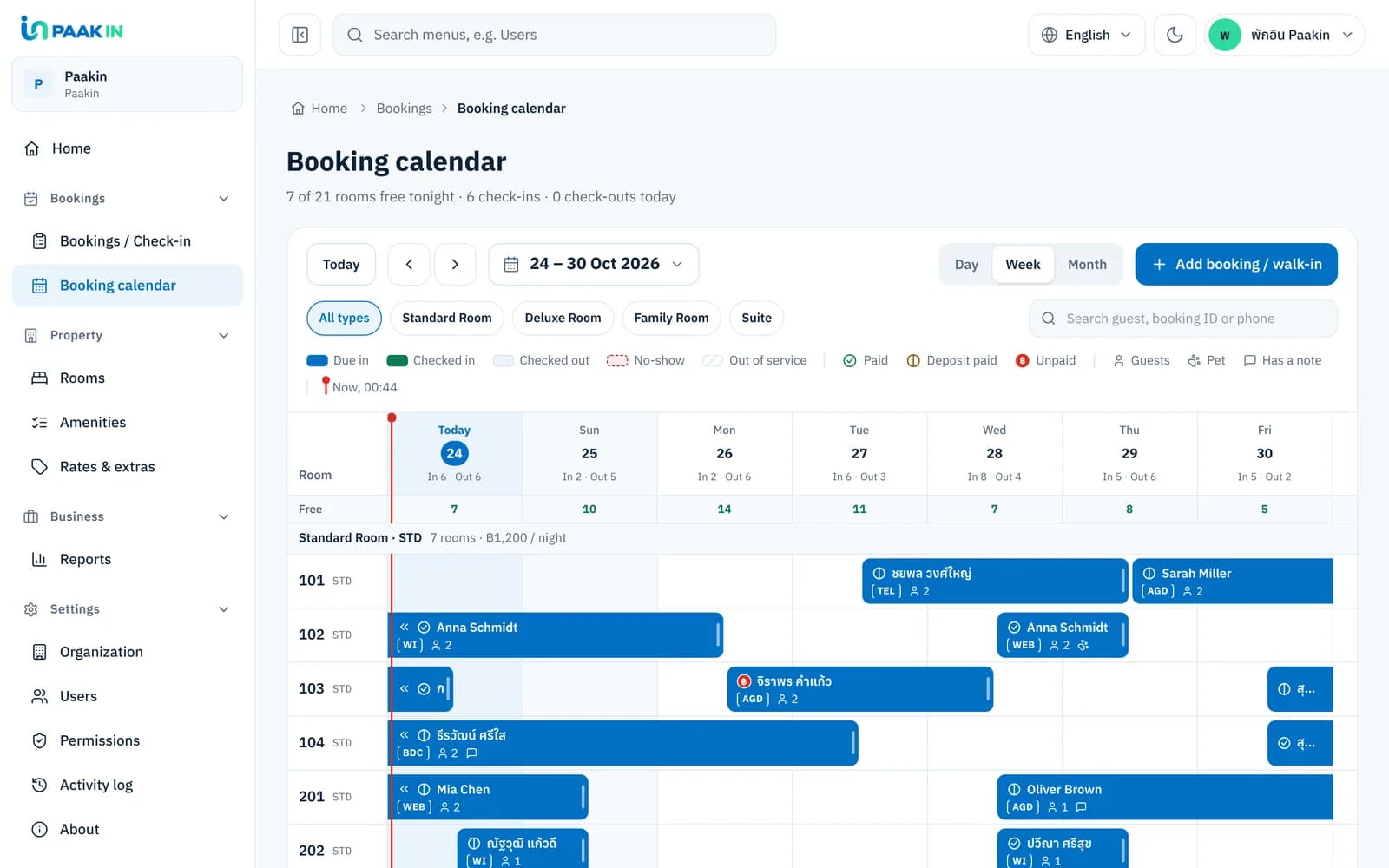
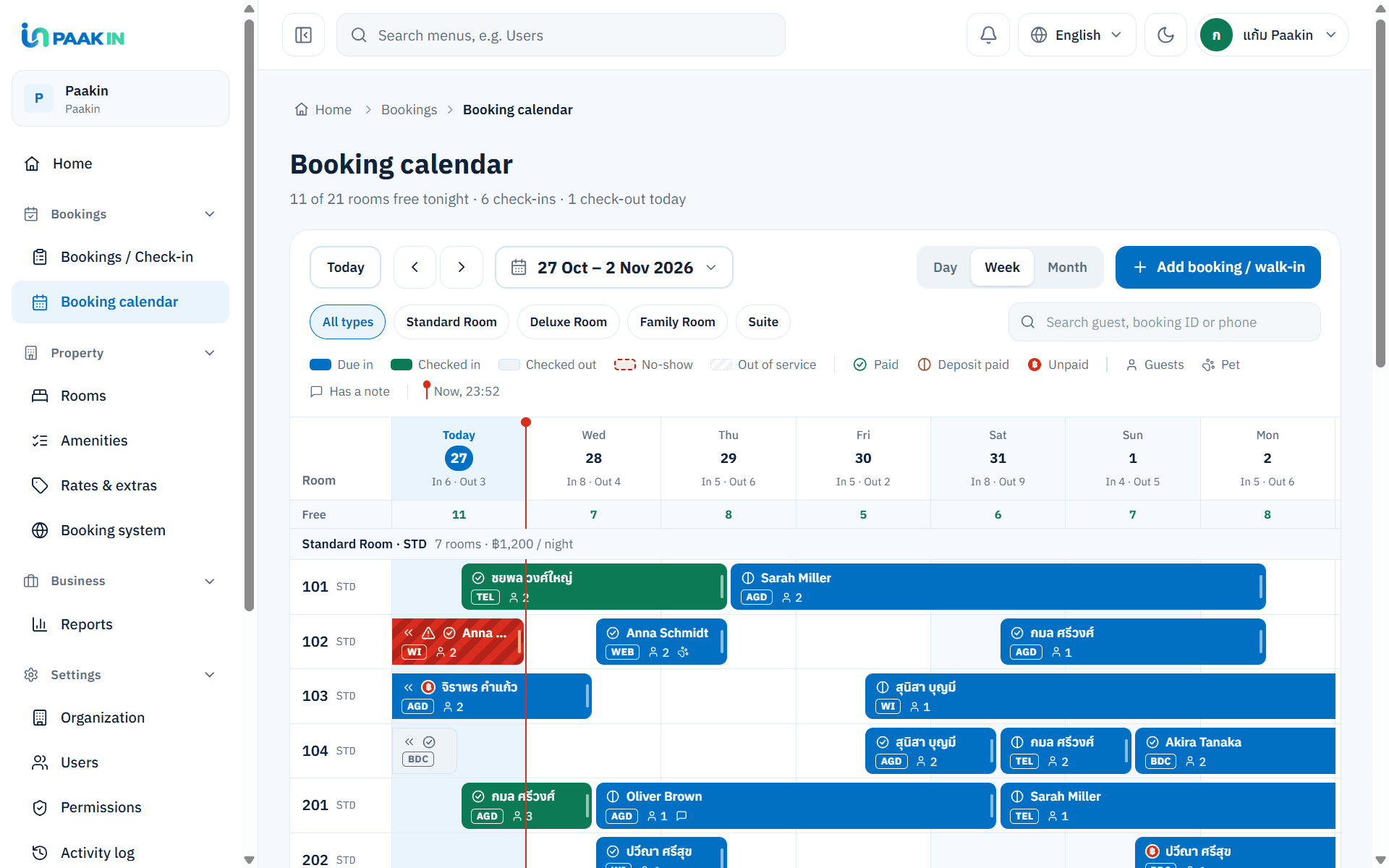
Booking calendarSee bookings and availability by date, along with check-in, check-out, and closed-out periods.
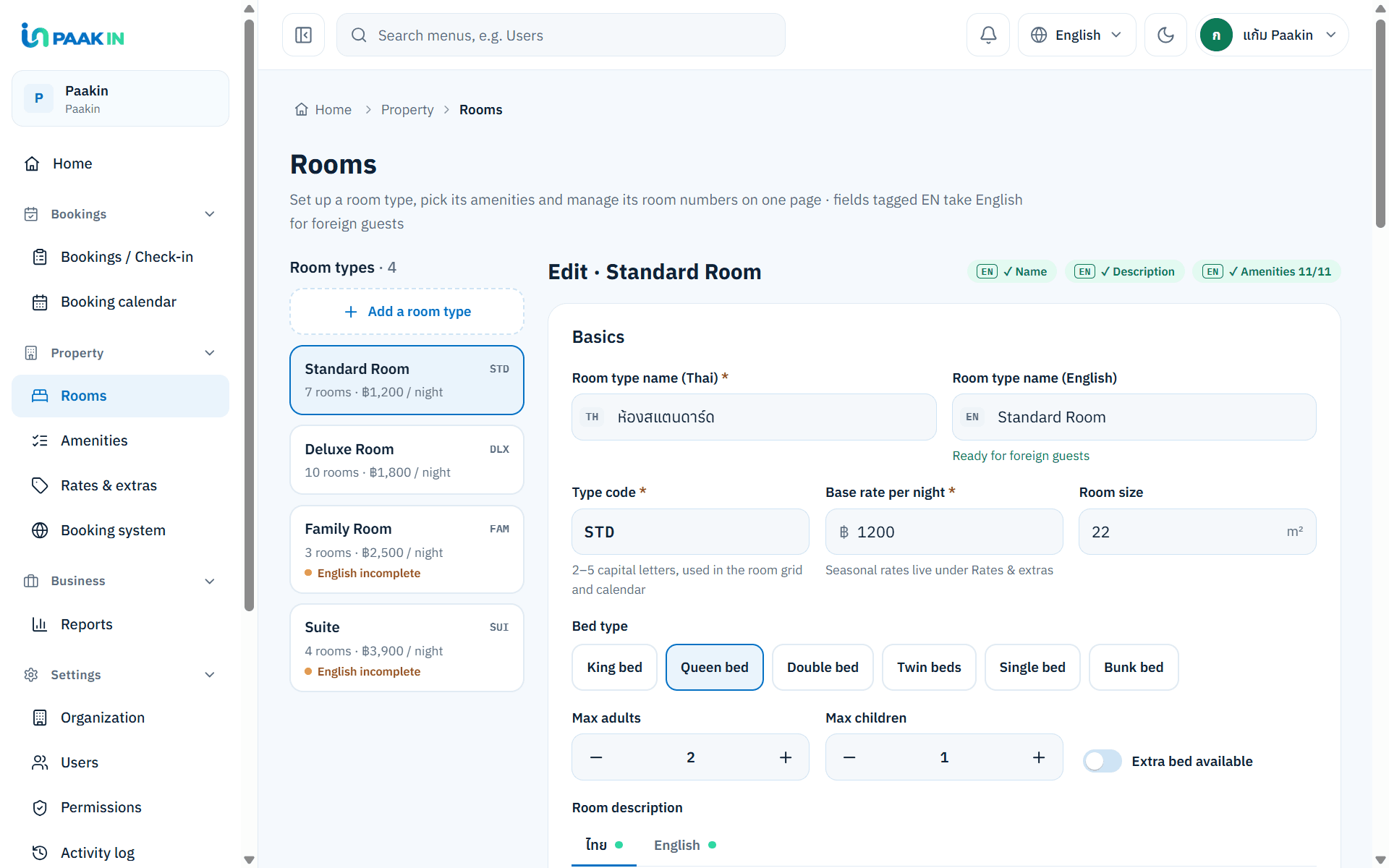
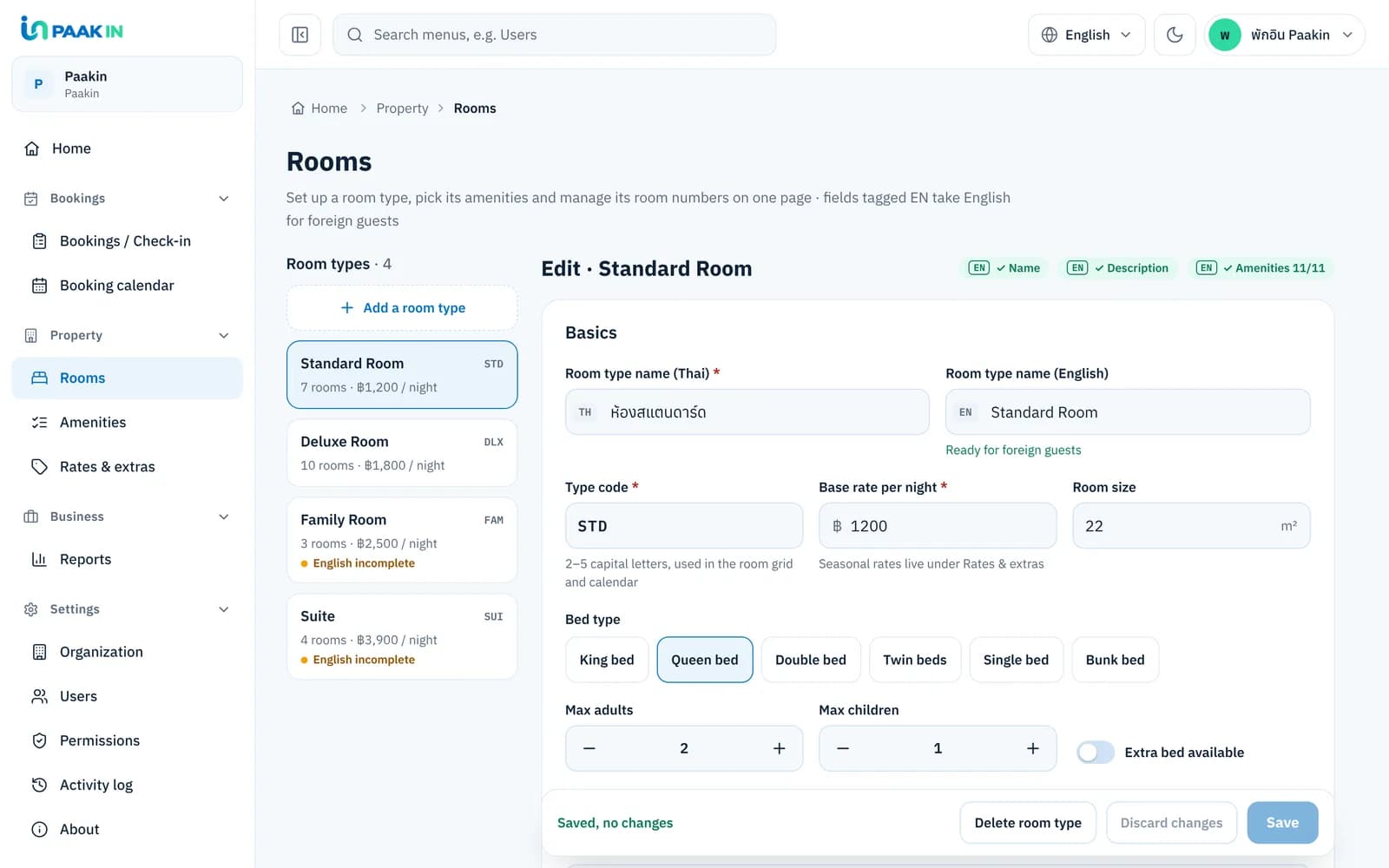
View full-size image RoomsSet up room types, descriptions, amenities, and the room numbers available for booking.
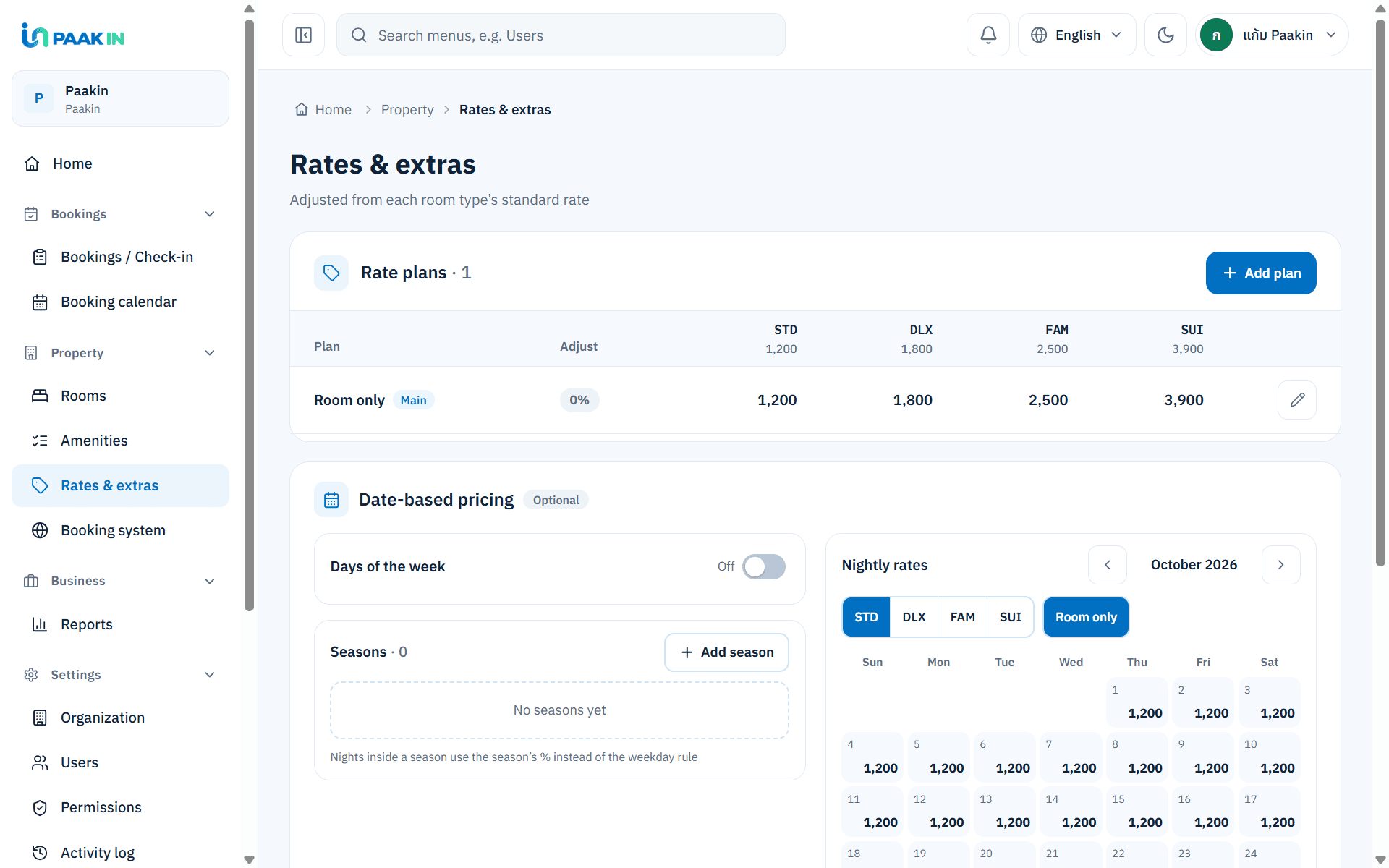
View full-size image Rates & extrasManage room rates and rate plans, with adjustments for different selling periods.
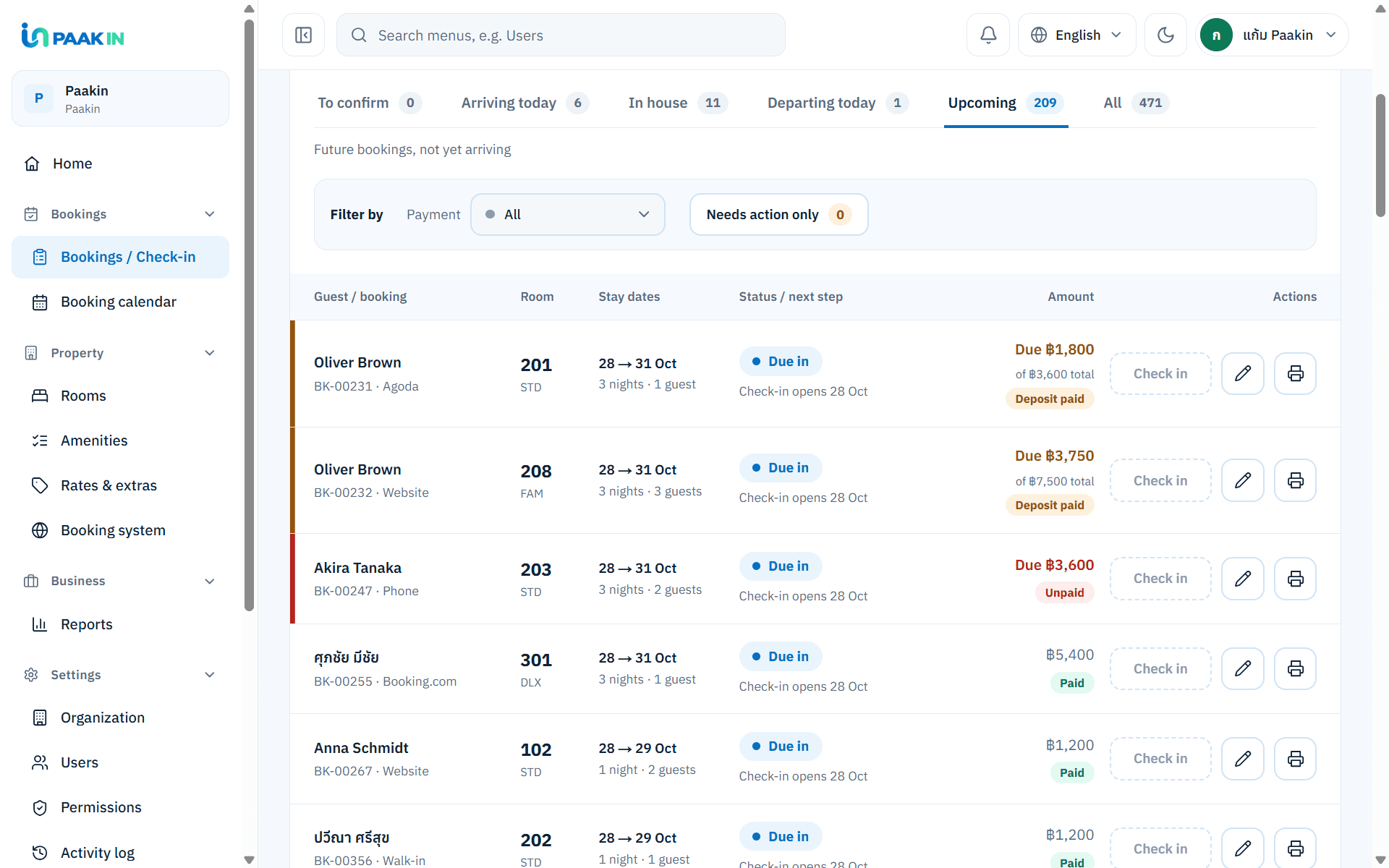
View full-size image Bookings / Check-inView bookings, check guests in and out, and open each booking’s details from one page.
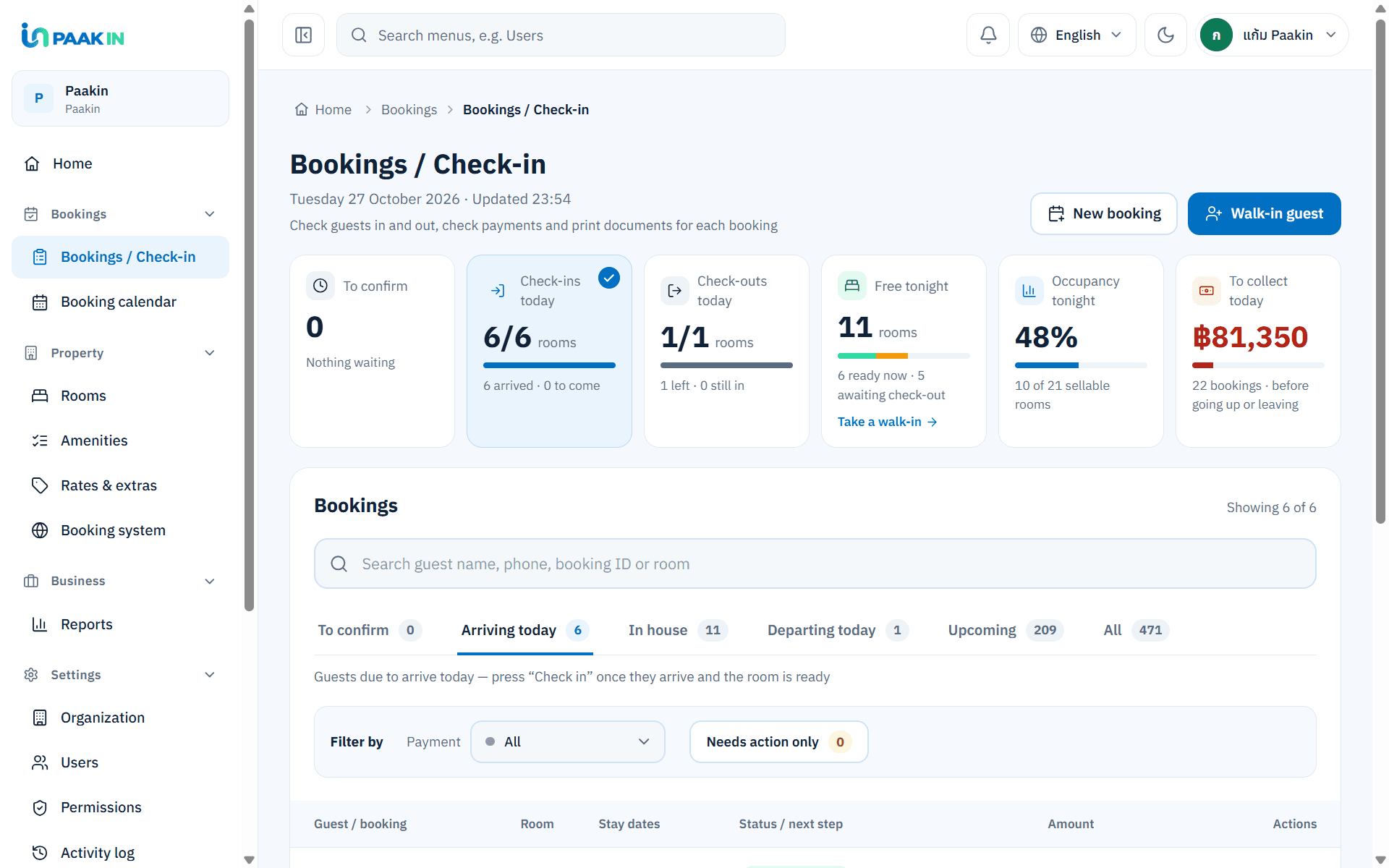
View full-size image - Guest detailsKeep guest names and contact details with each booking so your team can find them when needed.
Payment statusCheck paid amounts, deposits, and outstanding balances for each booking.
View full-size image - Date-based pricingSet rates for days of the week, seasons, or individual dates.
- Add booking / walk-inRecord phone bookings or walk-in guests in your hotel’s booking list.
From rooms and rates to bookings you can track
Set up your rooms and rates, receive bookings from your website, then follow guests and payment status in one flow.
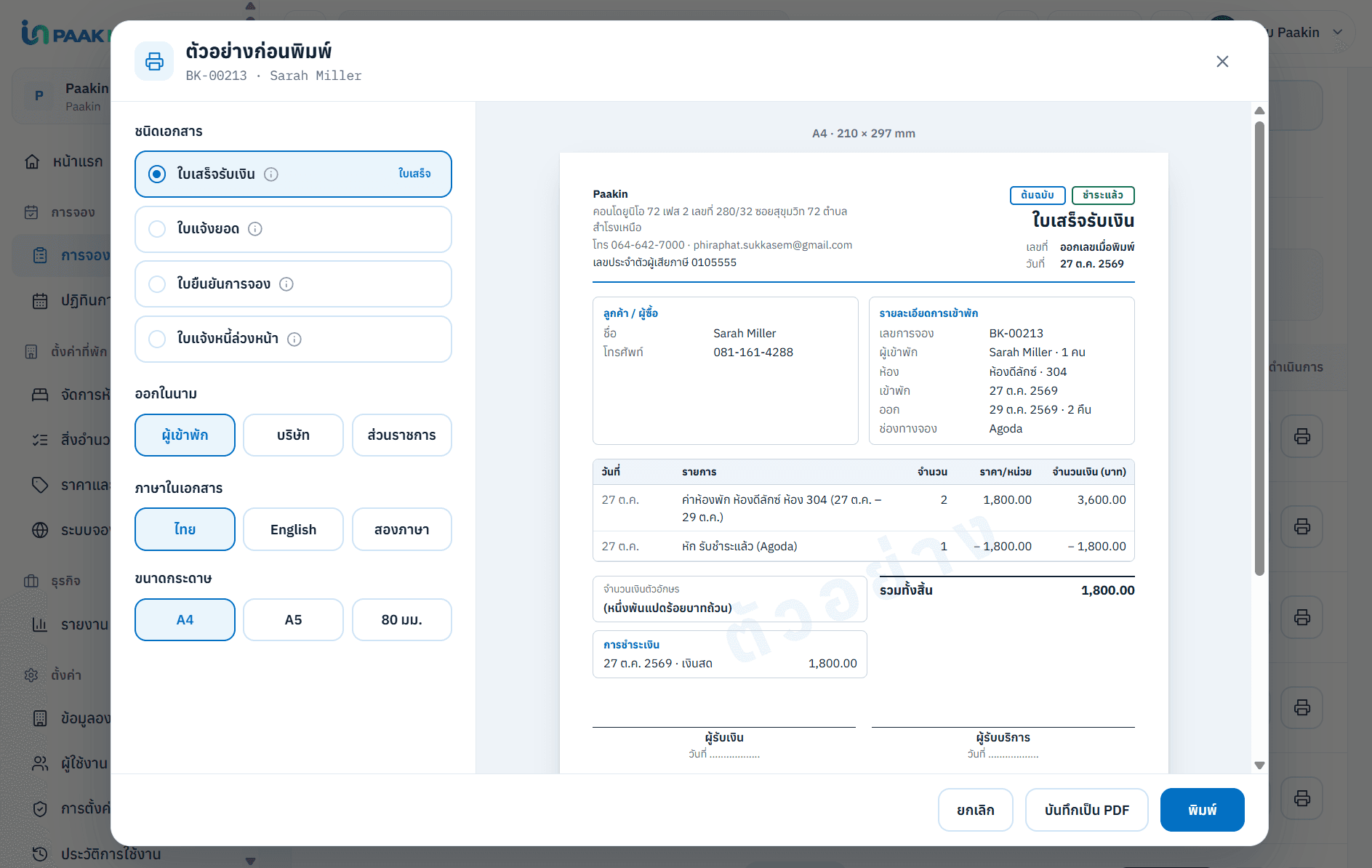
Issue receipts straight from booking details
Turn existing booking information into a receipt, avoid re-entering data, and keep the document attached to the booking for reference.
Frequently asked questions
Is this an accounting system?
No. The system uses booking data to help you track payments and issue receipts within the agreed scope. It does not keep a general ledger or replace accounting software.
Does it connect to Agoda or Booking.com automatically?
Not at the moment. Bookings and inventory are not synced with OTAs automatically. Connecting your existing systems requires a separate readiness and scope assessment.
Who edits room and rate information?
Hotel owners can manage the information that is open for editing, based on their access and the system scope. Core website content and images are maintained together with our team to keep the site's quality consistent.
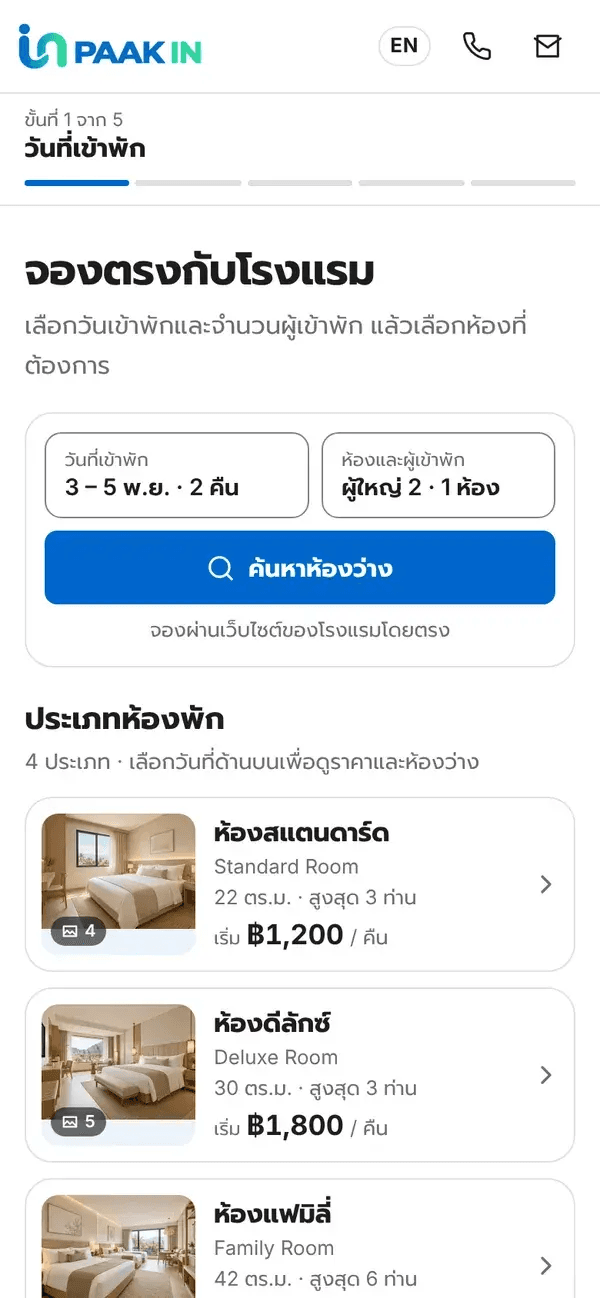
Want guests to book through your website too?
Connect the guest experience to your back office, from choosing a room to your hotel receiving the booking.
Set up booking management around the way your hotel works
Tell us about the process your team uses today, and we'll help you separate what's ready to use from what needs further development.